Add Content to Approval Steps
This guide explains how to include instructional content in an approval step to give context to reviewers. This content can help approvers understand what to focus on or how to proceed.
When to Add Content to Approval Steps
You should add content when:
- Reviewers need background information to make decisions.
- You want to provide links to documentation, reference materials, or prior feedback.
- You want to ensure consistency in how approval steps are handled.
To Add Content to Approval Steps
- Locate the Select Content For Approval section.
- Click the box next to the document name to select it for approval.
NoteIf multiple documents are selected, they will appear to approvers in the same order they are configured.
- Click Save.
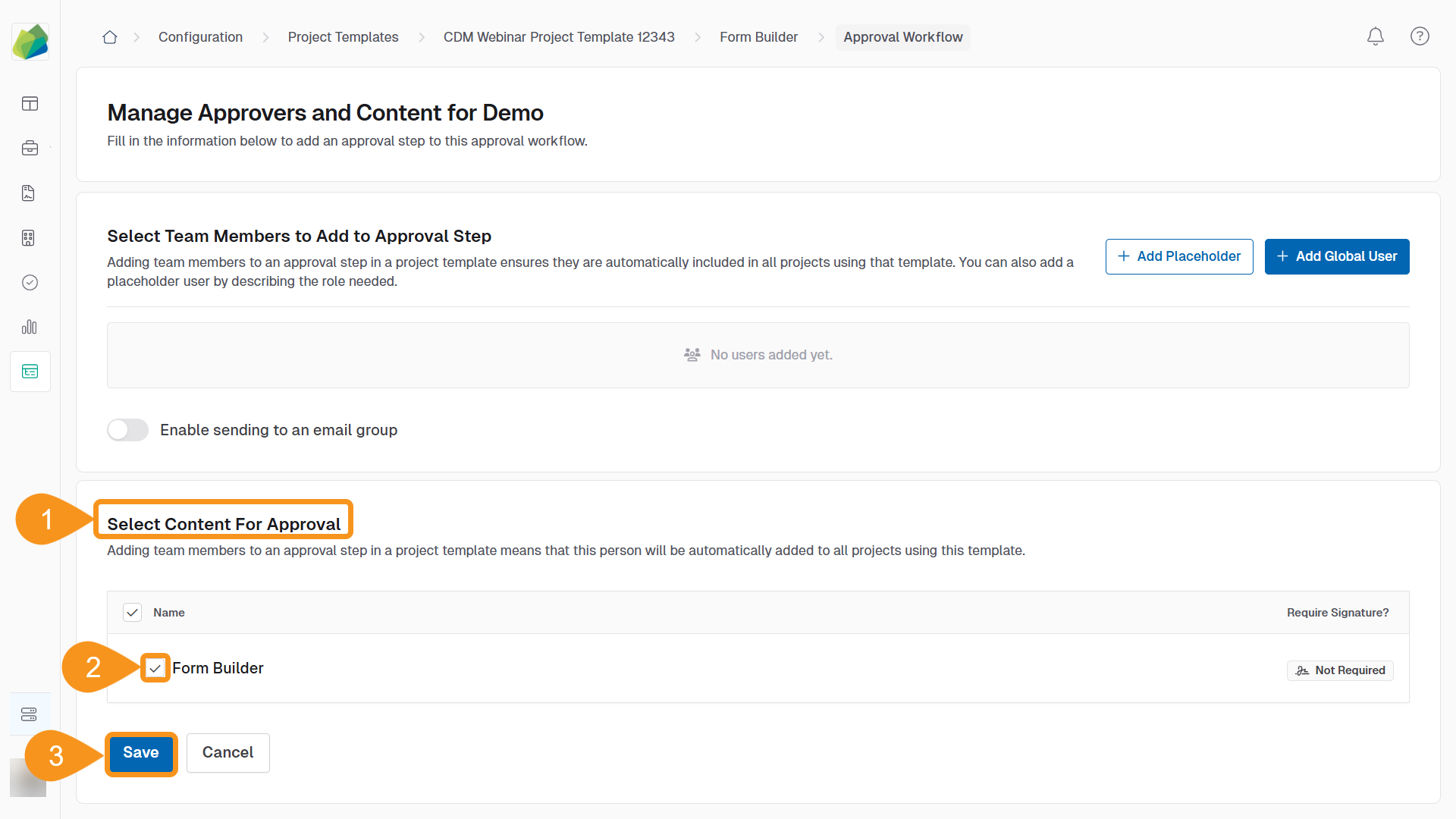
This content will appear above the approval task for assigned users.
See Also
To complement your knowledge of this process, feel free to check the following pages: