Suggest Changes to Content
This guide explains how approvers can suggest edits to content during the approval process.
When to Suggest Changes to Content
You should suggest changes when: The content is mostly complete but needs revisions. The document does not yet meet approval standards. You want to provide feedback without rejecting the step.
To Suggest Changes to Content
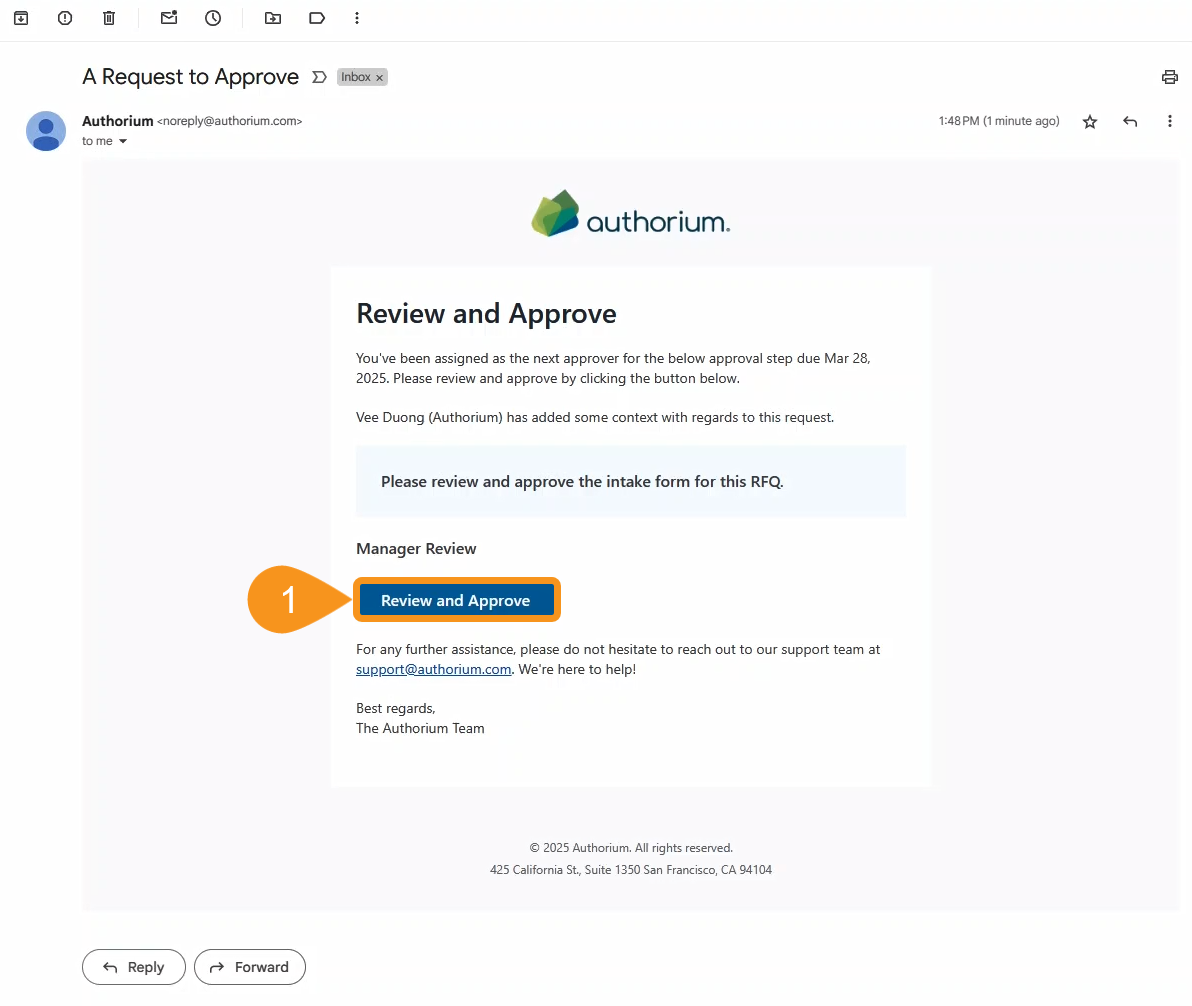
- In your email, click Review and Approve.
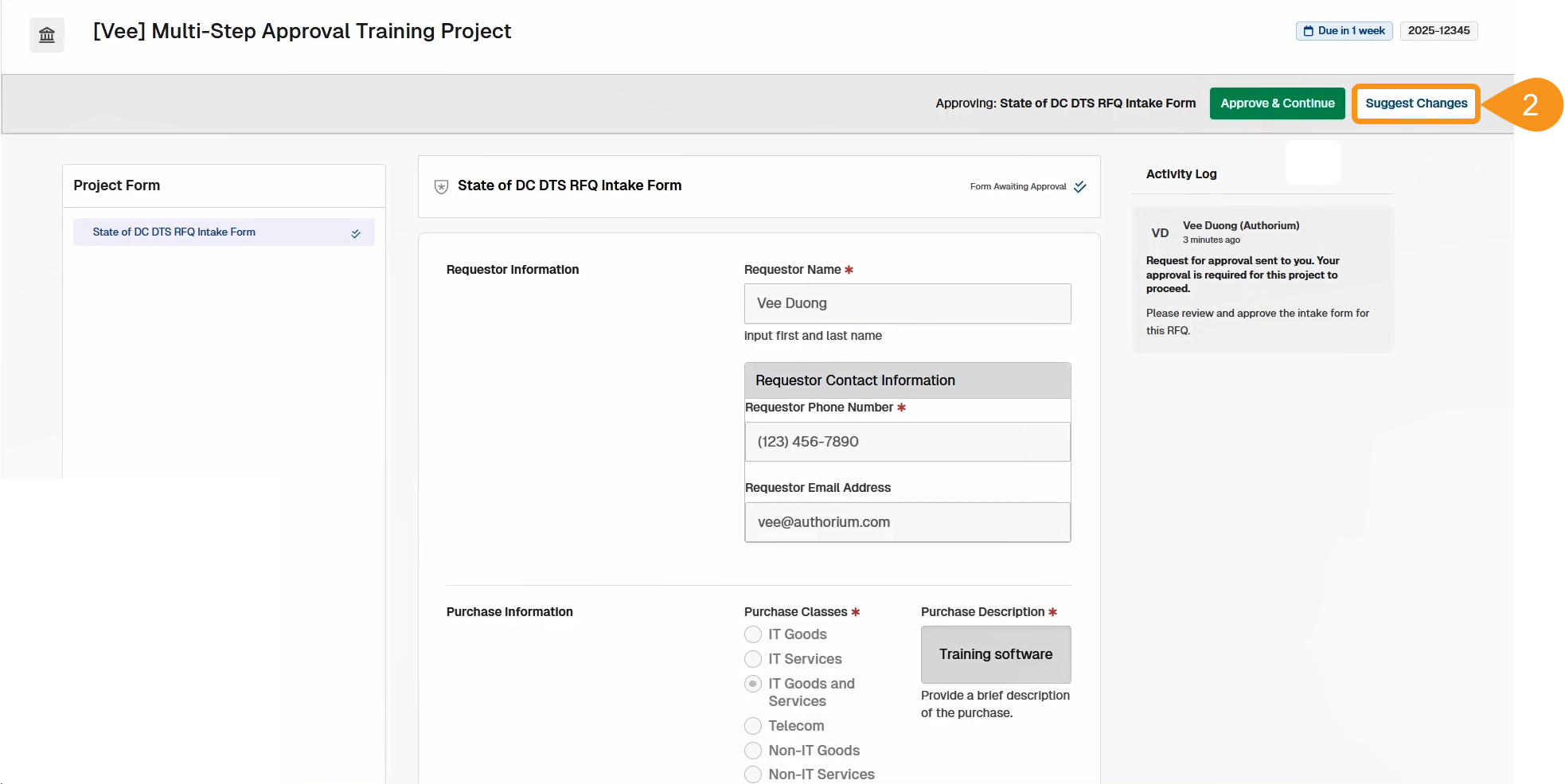
- In the approval view, click Suggest Changes.
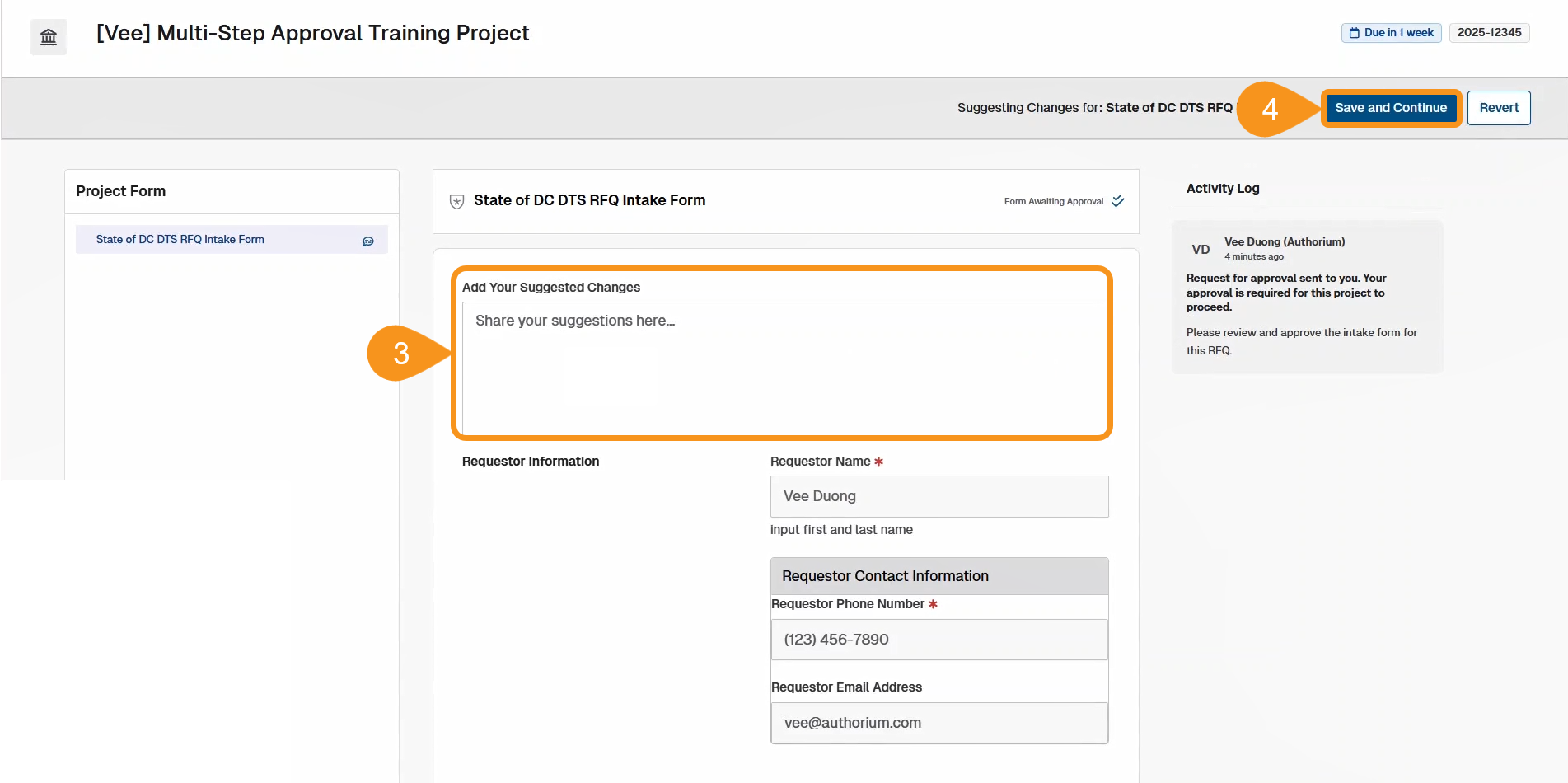
- Enter comments in the text box.
- Click Save and Continue.
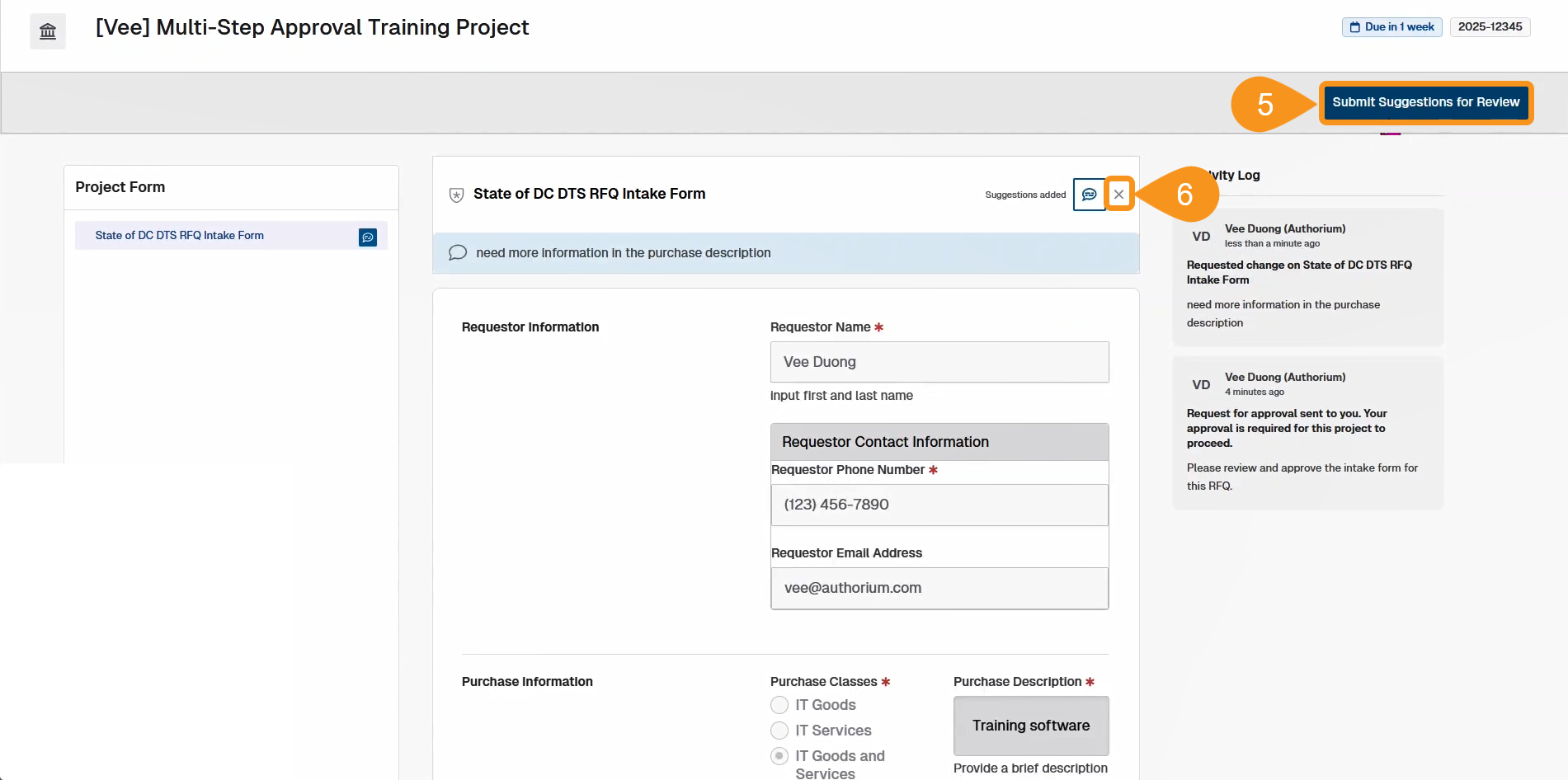
- Click the Submit Suggestions for Review button.
NoteYour suggestions will appear in the document as blue banners and be recorded in the activity log.
- (Optional): To revert an approval, click the X and confirm by clicking the Confirm button.
Note
Depending on the amount of approval steps, this process of initiating an approval step to acting on said approval step can/will be repeated.
See Also
To complement your knowledge of this process, feel free to check the following pages: